
Artificial intelligence is transforming how we work, create, and communicate — but that same excitement has opened a wide door for fraud. Every week, new apps, browser extensions, and websites claim to offer powerful AI features, and not all of them are genuine. Knowing how to spot fake AI tools and scams online has become essential for anyone who downloads apps, signs up for AI subscriptions, or interacts with AI-powered platforms on a daily basis.
This guide breaks down the exact warning signs, real-world tactics scammers use, verified examples from 2026, and simple steps you can take to protect your data, money, and identity — without needing any technical background.
What Is a Fake AI Tool?
A fake AI tool is any app, website, or service that claims to use artificial intelligence but is either non-functional, deceptive, or built specifically to steal information. These tools often mimic the branding of trusted names like ChatGPT, Midjourney, or Gemini, using similar logos, fonts, and app names to confuse users who are searching quickly and not double-checking sources.
Some fake tools are simple ad-revenue traps with no real AI behind them at all — you click, watch ads, and receive nothing useful in return. Others are far more sophisticated fronts designed to harvest passwords, credit card numbers, or personal photos, sometimes even installing hidden tracking software on your device.
Because the market for genuine AI products is growing so quickly, distinguishing a real product from a fraud is no longer optional. Understanding how to spot fake AI tools and scams online at this early stage — before you ever enter personal information — is the single most effective way to avoid becoming a victim.
Why You Need to Know How to Spot Fake AI Tools and Scams Online in 2026
Interest in artificial intelligence has exploded, and scammers always follow attention. Search data shows people searching for terms like “best AI gadgets,” “AI productivity tools,” and “AI assistants” by the millions each month, and criminals are exploiting that curiosity at scale.
Fake app store listings, cloned websites, and paid social media ads now promote tools that either don’t exist or perform nothing close to what they promise. Some scam pages are live for only a few days before disappearing, collecting payment details from as many visitors as possible before being taken down or reported.
Voice cloning and deepfake technology have made phishing emails and fake customer support calls far more convincing than they were even a year ago. A scammer no longer needs perfect grammar or a believable accent — AI can generate both instantly and at zero cost. This is exactly why learning to recognize fraud early matters more now than ever before.
Real-World Examples of Fake AI Tools
Understanding real patterns makes it much easier to apply this knowledge in your own browsing. A few common examples seen throughout 2026 include:
Fake AI video generator” ads on social media that lead to a cloned landing page asking for a credit card “to unlock your free trial,” which then charges recurring fees that are difficult to cancel.
Cloned chatbot apps in app stores using near-identical names and icons to popular AI assistants, designed purely to serve ads or collect email addresses for spam lists.
AI investment advisor bots promising guaranteed returns using artificial intelligence trading algorithms, which are almost always fraudulent schemes built to collect deposits.
Deepfake voice calls impersonating a company executive or family member, asking for an urgent wire transfer using a voice cloned from a few seconds of public audio or video.
Browser extensions claiming to add “AI features” to your browser that instead track your activity or inject unwanted advertising.
Seeing these patterns repeated across different platforms shows exactly why staying alert to fake AI products has become a genuinely useful, everyday skill rather than a niche cybersecurity topic.
Another growing pattern involves fake AI resume builders” and “AI job application assistants” that harvest personal details like home addresses, national ID numbers, and bank information under the guise of helping with job applications. Similarly, fake AI photo and video editing apps have been found quietly uploading users’ private photo libraries to remote servers without consent, buried deep inside vague permission agreements that almost nobody reads before tapping Accept.
Common Red Flags to Watch For
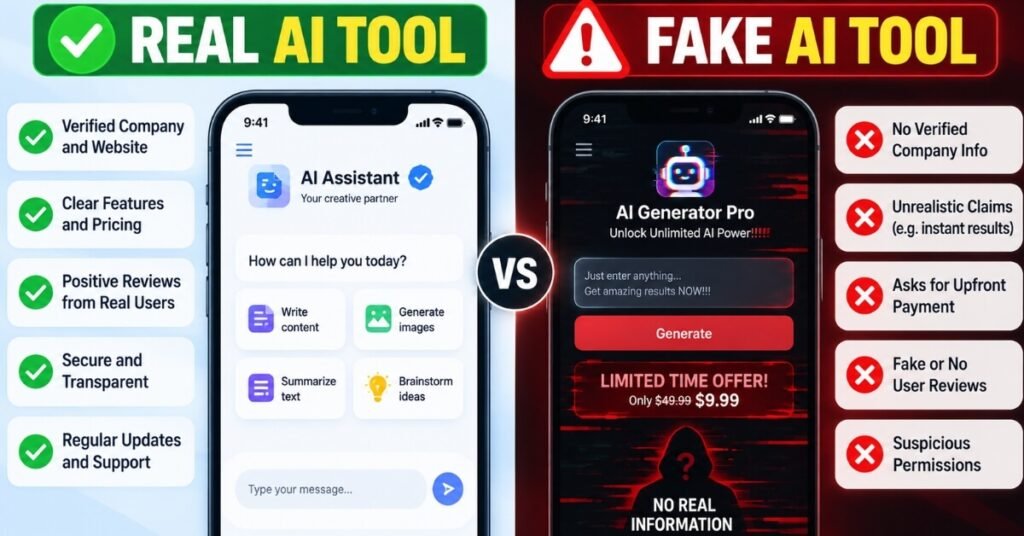
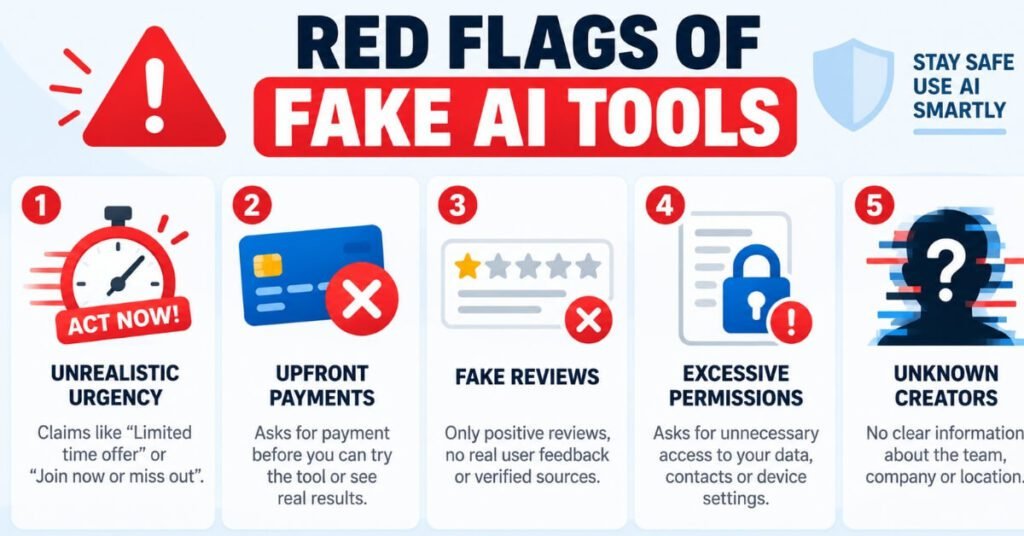
Most fraudulent platforms share a set of predictable warning signs. Once you know what to look for, spotting a fake AI tool becomes much faster and far less stressful.
Extreme urgency: Messages or pop-ups pressuring you to “act now” or lose access forever are designed to stop you from thinking clearly before you hand over information.
Unusual payment requests: Legitimate AI companies rarely ask for payment via gift cards, cryptocurrency, or wire transfers. These methods are nearly impossible to trace or refund once sent.
Overly polished marketing with no real reviews: A slick landing page with zero independent reviews, or reviews that all sound identical, is a strong warning sign of a fabricated product.
Fake testimonials or inflated numbers: Claims like “10 million downloads” that can’t be verified on any official app store are often simply invented to build false trust.
Poor grammar in official communication: Ironically, a tool claiming “advanced AI writing” that sends emails full of typos and broken sentences is rarely genuine.
Excessive app permissions: Be cautious of apps requesting access to contacts, camera, or microphone with no clear connection to their stated function.
No verifiable company information: A missing address, support email, or business registration is a red flag, especially for tools that handle payments or personal data.
Visual glitches in demo content: Extra fingers, warped backgrounds, unnatural blinking, or robotic voice patterns in demo videos often reveal AI-generated fakery used to sell a fraudulent product.
How Scammers Use Fake AI Tools to Target You
Scammers rarely rely on one method alone; most schemes combine several tactics to increase their success rate. A typical scheme might start with a sponsored ad promising a “free AI video generator,” lead you to a cloned landing page, and then request your email and payment card “to unlock the trial.” From there, your card can be charged repeatedly, or your credentials can be resold on underground marketplaces.
Others use fake AI chatbots embedded directly in messaging apps that pretend to be customer support, guiding victims toward phishing links disguised as account verification steps. Voice-cloning scams go a step further, using just a few seconds of audio pulled from a social media video to mimic a family member’s voice and request emergency money transfers, often while claiming to be in legal trouble or a medical emergency.
Some scammers even build entire fake “AI startups,” complete with a professional-looking website, a fabricated founder biography, and paid influencer promotions, purely to raise money through fake investment rounds or subscription pre-orders. Because these tactics constantly evolve, staying informed about how to spot fake AI tools and scams online is far more effective than relying on outdated advice from a single article or video.
How to Verify If an AI Tool Is Legitimate
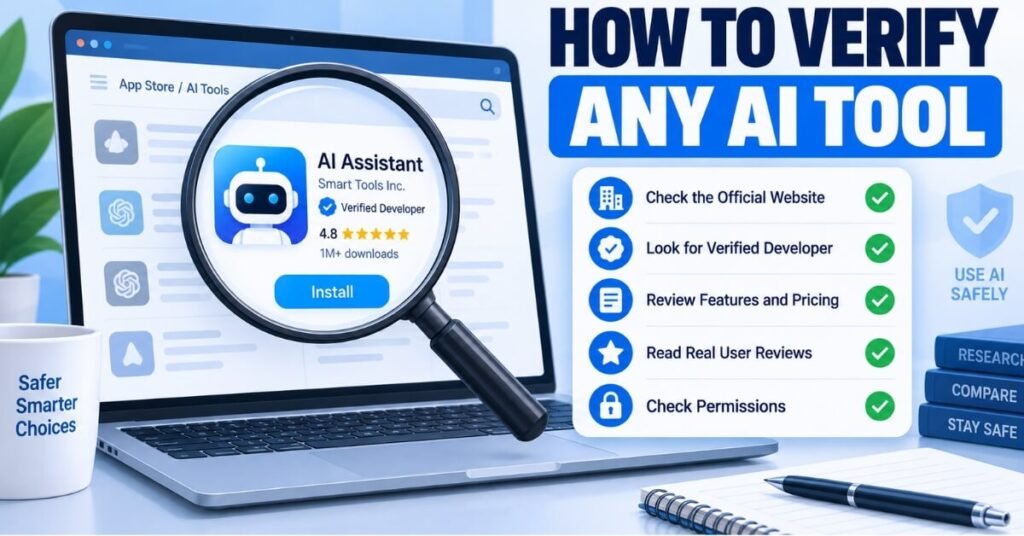
Before trusting any new AI product, take a few extra minutes to verify it properly. Check the developer’s official website against the app store listing — mismatched company names, missing privacy policies, or freshly registered domains are all bad signs. Search the tool’s name along with the word “reviews” or “scam” to see what other users have actually experienced, rather than relying only on the marketing copy on the tool’s own site.
Reverse image search any profile pictures or team photos used on the site; stolen stock photos are extremely common in fake AI ventures built quickly to catch a trend. Look at how long the domain has existed using a free WHOIS lookup tool — a site claiming to be an established company but registered only weeks ago deserves extra scrutiny.
It’s also worth applying the same verification habit to your social media accounts, since AI-generated fake profiles increasingly attempt to friend or message real users pretending to represent legitimate AI brands. If you’re unsure whether an unfamiliar account reaching out to you is genuine, learning the difference between platform safety tools — like understanding Instagram Restrict vs Block — can help you control who reaches you without alerting a potential scammer that you’ve noticed them. Combining all of these habits builds a strong first line of defense and makes knowing how to spot fake AI tools and scams online a practical, repeatable routine rather than a one-time check.
Tools and Resources That Help You Verify AI Products
Beyond manual checks, a few free tools make verification much faster and more reliable. A WHOIS lookup service shows exactly when a domain was registered, which quickly exposes sites pretending to be long-established companies. Google’s Safe Browsing check and similar site-reputation tools flag domains already reported for phishing or malware distribution, often before you even open the page.
For downloadable apps or files, scanning a link or file through a malware-scanning service before opening it can catch hidden threats that aren’t visible on the surface. Reverse image search tools are equally useful for checking whether “team photos” or “founder photos” on a company’s About page have been lifted from stock photo libraries or unrelated social media profiles.
Community-driven resources are also worth checking. Scam-tracking databases run by consumer protection organizations, along with recent Reddit or Trustpilot discussions about a specific tool, often surface real user experiences faster than official reviews on an app store, which can sometimes be manipulated with fake five-star ratings. Using two or three of these free resources together, rather than relying on just one, gives a far more accurate picture of whether a new AI product is trustworthy.
Practical Steps to Protect Yourself
Protecting yourself doesn’t require technical expertise — just a few consistent habits applied every time you try something new online.
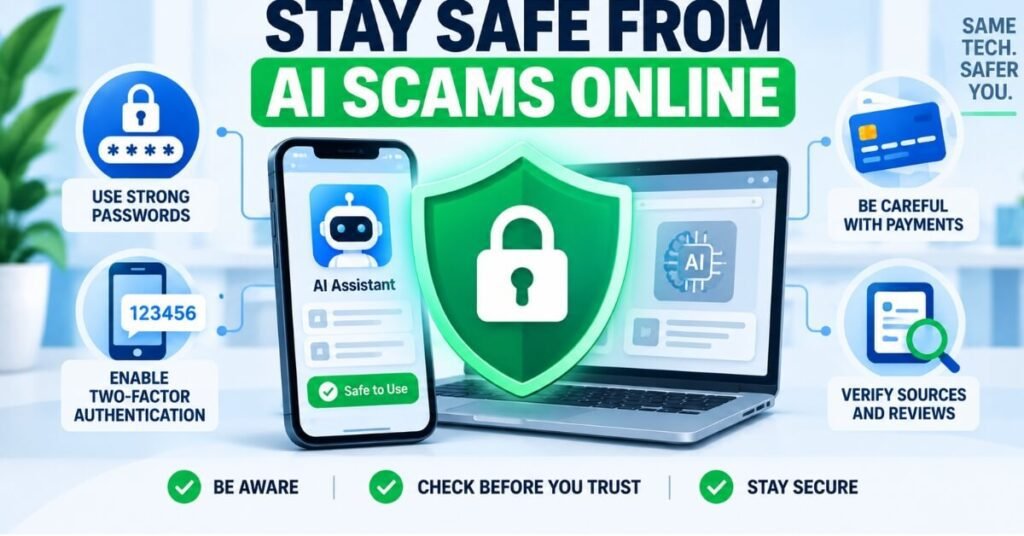
Only download AI apps from official app stores rather than links shared in ads, forum posts, or unsolicited messages.
Use unique passwords and enable two-factor authentication on any account linked to an AI subscription or payment method.
Avoid sharing personal documents, ID scans, or financial details with a tool you haven’t independently verified first.
Set up a family safe word to confirm identity during unexpected calls, especially given how realistic voice-cloning technology has become in 2026.
Keep your browser and antivirus software updated, since many fake AI browser extensions rely on outdated security gaps to install themselves.
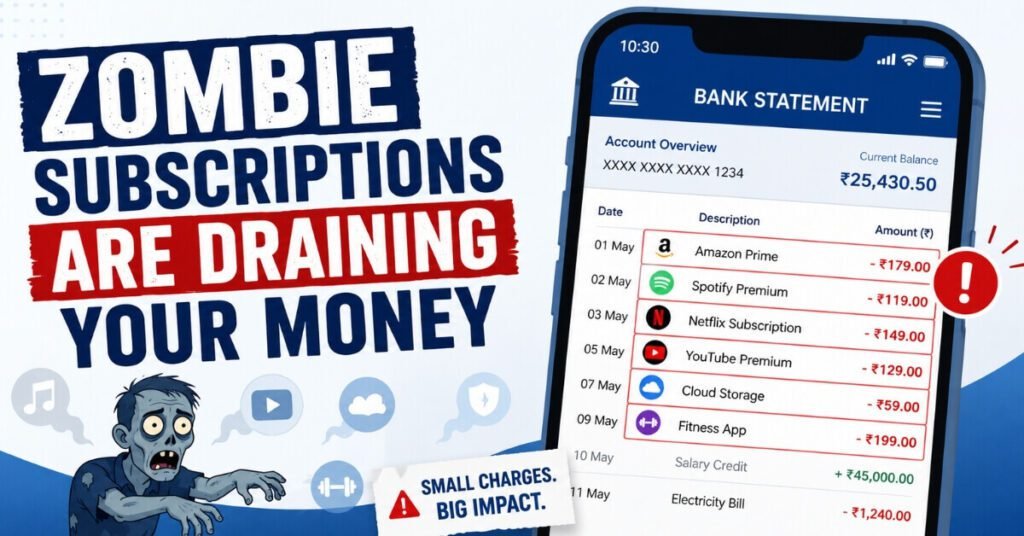
Review your bank and card statements regularly for small recurring charges, which scammers often use to avoid triggering fraud alerts.
For deeper guidance, resources like the Federal Trade Commission’s scam prevention guide outline additional steps for reporting fraud and recovering from identity theft. Following these practices consistently is one of the most reliable ways to stay protected once you understand how to spot fake AI tools and scams online.
What to Do If You’ve Already Been Scammed
If you’ve already shared payment details or personal information with a suspicious AI tool, act quickly rather than waiting to see what happens. Contact your bank or card provider immediately to freeze the transaction and request a chargeback where possible. Change passwords on any account that used the same login details, especially email and banking logins.
Report the platform to the app store, browser, or ad network where you found it, since most platforms have a dedicated fraud reporting process. File a complaint with your country’s consumer protection agency as well, since these reports help authorities track and shut down repeat offenders faster.
Document everything — screenshots, receipts, and messages — in case you need them for a dispute or police report later. The faster you act after realizing something is wrong, the more likely you are to limit the financial and personal damage.
It also helps to warn others once you’ve confirmed a tool is fraudulent. Leaving an honest, detailed review on the platform where you found it, or reporting the ad directly to the social media network that displayed it, can prevent friends, family, or other readers from falling into the same trap. Many fake AI campaigns rely on volume, so even a small number of public warnings can meaningfully reduce how many people they successfully reach.
Frequently Asked Questions
Q1: How can I tell if an AI app is fake before downloading it?
Check the developer’s information, read recent independent reviews, and compare the app’s permissions against its stated purpose. A legitimate app rarely needs access to contacts or your camera just to generate text or images.
Q2: Are free AI tools more likely to be scams?
Not always — many free tools are completely genuine — but be cautious of “free” tools that immediately push you to enter payment details or personal data before you can use any real feature.
Q3: Can AI-generated voices really fool people?
Yes. Modern voice-cloning technology needs only a few seconds of audio to create a convincing match, which is why family safe words and independent verification calls matter more than ever.
Q4: What should I do if I already paid for a fake AI tool?
Contact your bank immediately to dispute the charge, change your passwords on related accounts, and report the tool to the platform where you originally found it.
Q5: Is it safe to enter my email on an AI tool’s website?
Only after verifying the site is legitimate. Use a secondary email for trials when possible, and avoid entering your primary or work email on unverified platforms.
Q6: What is the fastest way to check if an AI company is real?
Search the company name along with “scam” or “reviews,” check how long their domain has existed, and look for a verifiable business address or registration number on their site.
Q7: Do fake AI tools only appear as apps, or also as websites?
Both. Fake AI tools show up as mobile apps, browser extensions, standalone websites, and even chatbots embedded inside legitimate-looking customer support widgets, so it’s worth applying the same verification habits regardless of the format.
Q8: Can antivirus software fully protect me from AI scams?
Antivirus software helps catch malicious downloads and known phishing sites, but it can’t verify whether a “legitimate-looking” AI company is honest about its claims — that verification step still requires the manual checks covered in this guide.
Q9: Are AI scams more common on mobile or on desktop?
Both are equally targeted, but mobile users are often more vulnerable because small screens make it harder to check a URL carefully, and app permission requests are frequently accepted quickly without reading them in full.
Q10: How often should I re-check an AI tool I already trust and use regularly?
Revisit your verification checks whenever the tool changes ownership, rebrands, asks for new permissions, or introduces a sudden new payment requirement — these are common moments when a previously trustworthy product is sold or repurposed for a scam.
Conclusion
AI is genuinely useful, but that same appeal is exactly what scammers exploit. By learning to recognize red flags, verifying tools before you trust them, and building a few simple safety habits, you can enjoy the real benefits of AI without becoming a target. Knowing how to spot fake AI tools and scams online isn’t about being suspicious of everything you see — it’s about knowing exactly what to check before you click, download, or pay.
Disclaimer
This article is for general informational and educational purposes only and does not constitute legal, financial, or cybersecurity professional advice. Always verify products independently and consult a qualified professional or your bank if you believe you have been a victim of fraud.