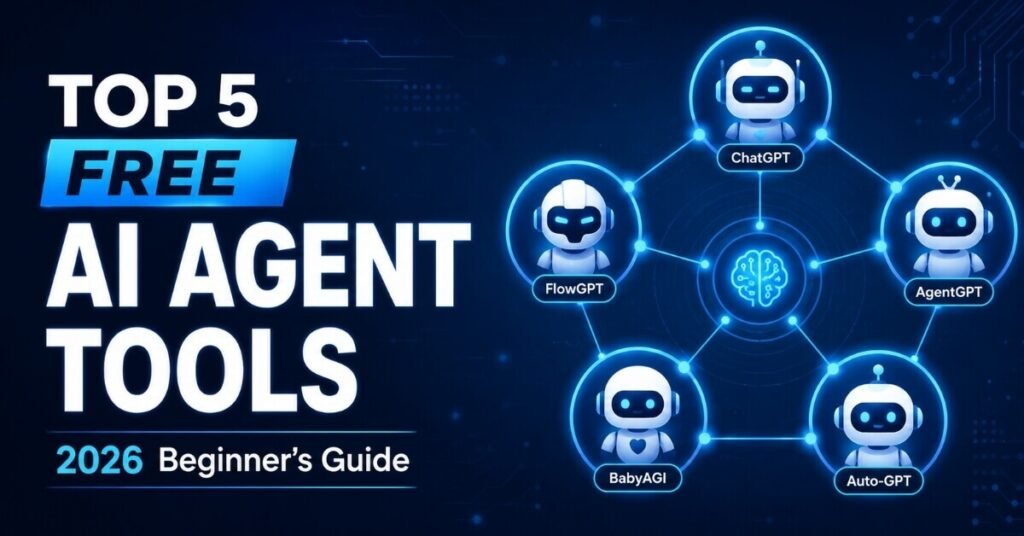
If you have been hearing the term “AI agent” everywhere but still feel confused about where to start, you are not alone. The good news is that you do not need a big budget or a technical background to get started, because there are plenty of free AI agent tools available right now that let anyone experiment, automate tasks, and build real workflows without spending a single rupee. In this guide, we will walk through five of the best free AI agent tools you can try today, explain what each one does, who it is best for, and how you can pick the right one for your own project.
Before we dive in, if you are still confused about the basic difference between a simple AI tool and a full AI agent, it helps to understand the foundations first. Our earlier guide on the best AI tools for beginners to try in 2026 breaks down simple, single-task tools that most beginners start with, and it pairs perfectly with this article since AI agents build on many of the same core ideas.
Think of it this way: a simple tool is like handing a task to an assistant and waiting for them to come back with a suggestion, while an agent is like handing over the entire project and trusting it to complete every step on its own. This shift from “assist” to “execute” is exactly why so many creators, students, and small business owners are exploring this space in 2026, and it is also why platforms in this category have grown so quickly over the past year.
What Makes an AI Agent Different From a Regular AI Tool
A regular AI tool usually waits for you to give it a direct instruction, performs one task, and stops. An AI agent, on the other hand, can be given a broader goal, plan out the steps needed to reach that goal, and carry out those steps on its own with very little supervision. Because of this ability to plan, act, and adapt, free AI agent tools have become extremely popular among beginners, freelancers, and small business owners who want to automate repetitive work without hiring a developer.
Many of the free AI agent tools available today are open-source, which means the core technology costs nothing to use, even though some platforms may charge for extra hosting, storage, or premium support. This makes it a great time to experiment, since you can test several free AI agent tools side by side before deciding which one fits your workflow best.
It also helps to remember that “free” does not mean “limited” in this space anymore. In earlier years, free versions of software were often stripped-down demos meant to push you toward a paid plan. Today, many open-source agent platforms are genuinely powerful on their own, with active communities, frequent updates, and enough documentation to support real, production-level projects without ever paying a subscription fee.
According to OpenAI’s own practical guide to building agents, reliable agents are built on strong foundations, meaning capable models, well-defined tools, and clear structured instructions. Keeping this principle in mind will help you get more value out of any of the free AI agent tools listed below.
Common Mistakes Beginners Make When Starting Out
Before jumping into the tools themselves, it is worth pointing out a few mistakes that trip up almost every beginner. The first mistake is trying to automate an entire complex process on day one instead of starting with a single, narrow task. The second mistake is skipping documentation entirely and expecting the platform to behave perfectly without any setup. The third, and probably the most common, is switching between three or four platforms in the first week without giving any single one a fair chance.
A much better approach is to pick one platform, follow its official getting-started guide from start to finish, and only then decide whether it fits your needs. This patience pays off, because once you understand how one agent-building platform thinks, learning a second one becomes far easier, and you will be able to compare free AI agent tools with much more confidence.

1. CrewAI
CrewAI is one of the most talked-about free AI agent tools for anyone who wants to organize a “team” of AI agents that work together toward a single goal. Instead of relying on one agent to do everything, CrewAI lets you assign different roles to different agents, similar to how a real office team divides responsibilities among members.
What it does: CrewAI organizes role-based teams of collaborating agents that can tackle complex, multi-step goals together instead of relying on a single agent to do all the work.
Best for: Automating business processes, running research projects, and delegating tasks across multiple agents at once.
Why beginners like it: You do not need to be a professional developer to set up your first crew. The documentation is beginner-friendly, and there is a large community sharing free templates.
Price: Free and open-source, making it one of the most accessible free AI agent tools for people just starting out.
Example use case: Imagine you run a small blog and want to research competitor articles, summarize the findings, and draft an outline automatically. With CrewAI, you could assign one agent the role of “researcher,” another the role of “summarizer,” and a third the role of “outline writer,” letting them pass information to each other until the final draft is ready.
2. LangGraph
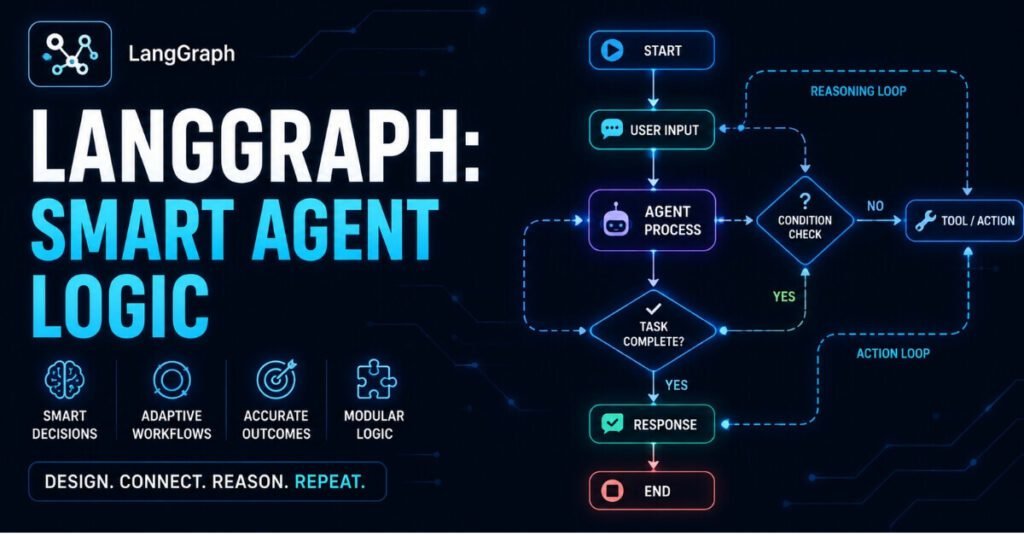
If you want more control over how your agent thinks and remembers information, LangGraph is worth exploring. It is built for developers and advanced beginners who want to design stateful, graph-based workflows.
What it does: LangGraph helps you build agent workflows using loops, memory, and precise conditional logic, so your agent can make decisions based on what happened earlier in the conversation or task.
Best for: Developers who want to create controlled, predictable decision pathways inside their applications rather than letting an agent behave unpredictably.
Why beginners like it: Even though it has a slightly steeper learning curve than some other free AI agent tools, the flexibility it offers makes it a favorite once you understand the basics.
Price: The core library is free and open-source, which is why it consistently shows up on lists of the top free AI agent tools for developers.
Example use case: Suppose you are building a customer support workflow where the agent needs to remember what a customer said three messages ago before deciding what to do next. LangGraph’s memory and looping structure makes this kind of multi-step, context-aware decision-making far more reliable than a simple one-shot prompt.
3. Microsoft AutoGen
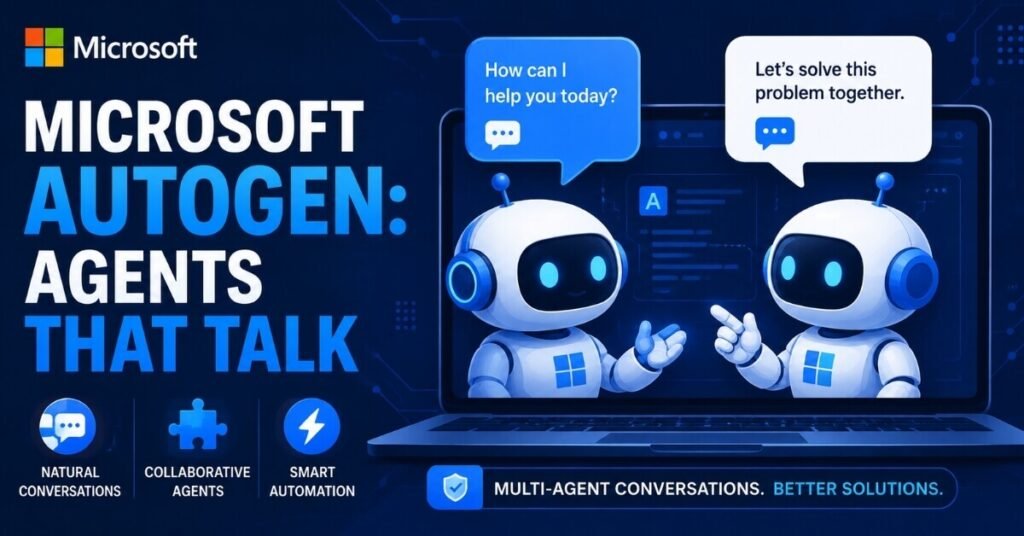
Microsoft AutoGen takes a slightly different approach compared to the other free AI agent tools on this list. Instead of a single agent handling a task, AutoGen focuses on conversational collaboration between multiple specialized agents.
What it does: AutoGen enables asynchronous, conversational collaboration where different agents “talk” to each other to solve a problem, almost like a group chat between specialists.
Best for: Code generation, group problem-solving, and automating tasks that benefit from multiple perspectives working together.
Why beginners like it: Because it comes from Microsoft, there is strong documentation, active community support, and regular updates, which gives beginners more confidence while learning.
Price: Free and open-source, backed by one of the biggest names in tech, which is a big reason it remains one of the most trusted free AI agent tools available today.
Example use case: Picture a small development team that wants one agent to write code, a second agent to review it, and a third agent to test it, all without a human manually passing files back and forth. AutoGen’s conversational structure allows these three roles to “discuss” the problem until the code passes review.
4. Botpress
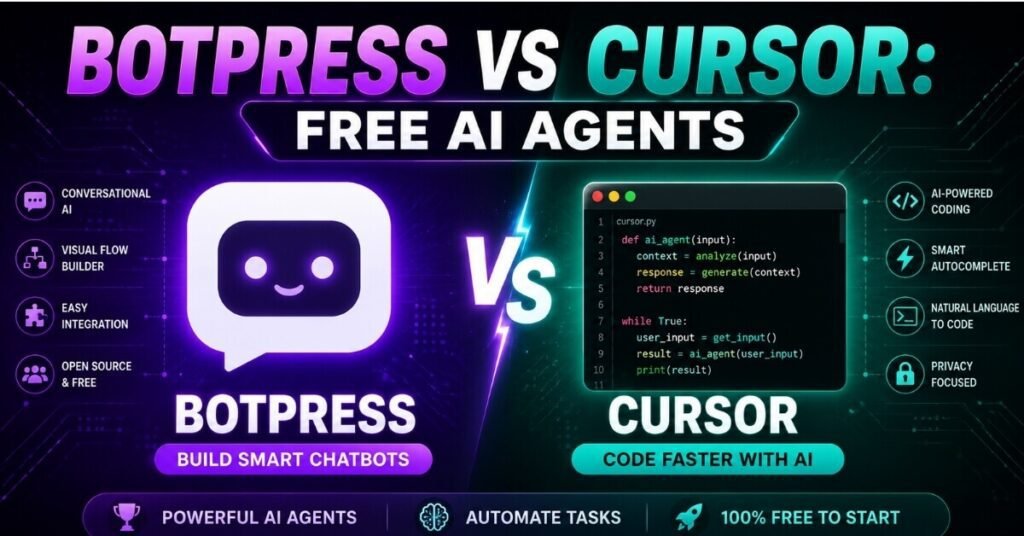
If your main interest is building a conversational agent, such as a customer support bot or an interactive website assistant, Botpress deserves a spot on your shortlist of free AI agent tools to try.
What it does: Botpress provides a visual, drag-and-drop canvas that lets you build, test, and deploy customized conversational agents without writing extensive code.
Best for: Customer support automation, interactive web chat agents, and businesses that want a working agent up and running quickly.
Why beginners like it: The visual interface removes much of the intimidation that comes with coding-heavy platforms, making it approachable even for someone with zero technical background.
Price: Botpress offers a generous free tier for discovery and prototyping, so you can build and test your first conversational agent without any upfront cost.
Example use case: If you run an online store and get the same five questions from customers every day, such as shipping times or return policies, you could build a Botpress agent in an afternoon that answers those questions instantly, freeing up your time for tasks that actually need a human touch.
5. Cursor (Free Tier)
Rounding out our list of free AI agent tools is Cursor, a tool built specifically for people who write or work with code. While it is not a general-purpose agent builder like the others, it is one of the most practical free AI agent tools for developers and hobbyist coders.
What it does: Cursor acts as an AI-first code editor with agents that can edit multiple files and execute terminal commands right inside your workspace.
Best for: Writing, debugging, and refactoring software code autonomously, especially for people who are already comfortable with basic coding concepts.
Why beginners like it: It feels like a normal code editor at first glance, so the learning curve is gentler than it looks, and the free tier is generous enough for personal projects.
Price: A free tier is available, making it a natural entry point among free AI agent tools for anyone interested in coding automation.
Example use case: If you are learning to code and often get stuck fixing small bugs, Cursor’s built-in agent can scan your project, identify the likely source of an error, and suggest a fix directly inside the editor, saving you the time you would otherwise spend searching forums for answers.
How to Choose the Right Free AI Agent Tool for You
With so many free AI agent tools to choose from, picking the right one really comes down to what you are trying to accomplish. If you want to coordinate a team of agents on a business task, CrewAI or Microsoft AutoGen might be the better starting point. If you need precise control over logic and memory, LangGraph is worth the slightly steeper learning curve. If your goal is a customer-facing chatbot, Botpress is likely your fastest path to a working product, and if you are focused on coding tasks, Cursor’s free tier is hard to beat.
A smart approach for beginners is to pick just one task, one clear success metric, and one of these free AI agent tools to start with, rather than trying to learn all five at once. Once you are comfortable with the basics, you can always add a second or third tool to your workflow as your needs grow.
Here is a simple way to think about the decision: ask yourself whether your problem is mostly about coordinating people-like tasks, mostly about logic and memory, mostly about conversation, or mostly about writing code. Coordinating tasks usually points toward CrewAI or AutoGen. Complex decision-making points toward LangGraph. Talking to customers points toward Botpress. And writing or fixing code points toward Cursor. This one simple question can save you hours of trial and error, because it narrows five options down to just one or two realistic choices almost instantly.
It is also worth remembering that free AI agent tools are constantly evolving. Features, pricing tiers, and documentation can change quickly in this space, so it is a good habit to check each platform’s official website before committing to one for a long-term project.
Frequently Asked Questions
1. Are these free AI agent tools really free, or is there a hidden cost?
Most of the tools mentioned above, including CrewAI, LangGraph, and Microsoft AutoGen, are open-source and free at their core. However, some platforms may charge for optional add-ons like premium hosting, extra storage, or advanced support, so it is worth checking each tool’s pricing page for full details.
2. Which of these free AI agent tools is best for someone with zero coding experience?
Botpress is generally the most beginner-friendly option because of its visual, drag-and-drop interface. CrewAI is also approachable thanks to its beginner-focused documentation.
3. Can I use more than one AI agent tool together?
Yes. Many creators combine multiple free AI agent tools in a single workflow, for example using LangGraph for logic and Botpress for the conversational front end.
4. Do free AI agent tools work well for small businesses?
Absolutely. Small business owners often use free AI agent tools to automate customer support, research tasks, and repetitive workflows without hiring extra staff.
5. How do I decide which free AI agent tool to try first?
Start by identifying a single, time-consuming task in your daily routine, then match it to the tool on this list best suited for that specific job.
6. Are these tools safe to connect to my business data?
Most reputable platforms follow standard security practices, but you should always review each tool’s data and privacy policy before connecting sensitive business information, and avoid giving any agent more access than it actually needs.
7. Will learning one of these tools help me learn the others faster?
Yes. Once you understand the basic concepts of goals, memory, and actions in one platform, the learning curve for a second platform becomes much shorter, since most agent-building tools share the same core ideas.
8. Do I need a powerful computer to run these tools?
No. Most of these platforms run in the cloud or use lightweight local setups, so a standard laptop is enough to get started with any of them.
9. Can students use these tools for college projects?
Yes. Students often use CrewAI or LangGraph for research-based projects, since both are free and well-documented for academic experimentation
Conclusion
Getting started with free AI agent tools has never been easier than it is right now. Whether you want to coordinate a team of collaborating agents with CrewAI, build precise decision logic with LangGraph, experiment with conversational collaboration through Microsoft AutoGen, launch a chatbot with Botpress, or automate your coding workflow with Cursor, there is a free option ready for you to try today. The key is to start small, pick one tool that matches your goal, and build from there as your confidence grows.
None of these platforms require a large budget or a technical degree to get started, which is exactly what makes this such an exciting time to experiment. Set aside an hour this week, pick the tool from this list that matches your biggest daily headache, and build your very first agent. Once you see how much time even a simple automation can save, it becomes much easier to understand why this category of software is growing so quickly.
Disclaimer
This article is intended for informational and educational purposes only. Pricing, features, and free-tier availability for the tools mentioned above may change over time, so please verify the latest details directly on each platform’s official website before making any decisions.